Position protection
Review stops and take-profit levels, follow HyperTrail adjustments, and keep protection and close controls within reach.
Protection manages orders. It cannot guarantee an exit price.
HypurrTrade / Hyperliquid execution infrastructure
Start in paper mode. Configure your risk, stops and take-profits, then choose non-custodial live execution with a signing key held in your browser.
Proof of Work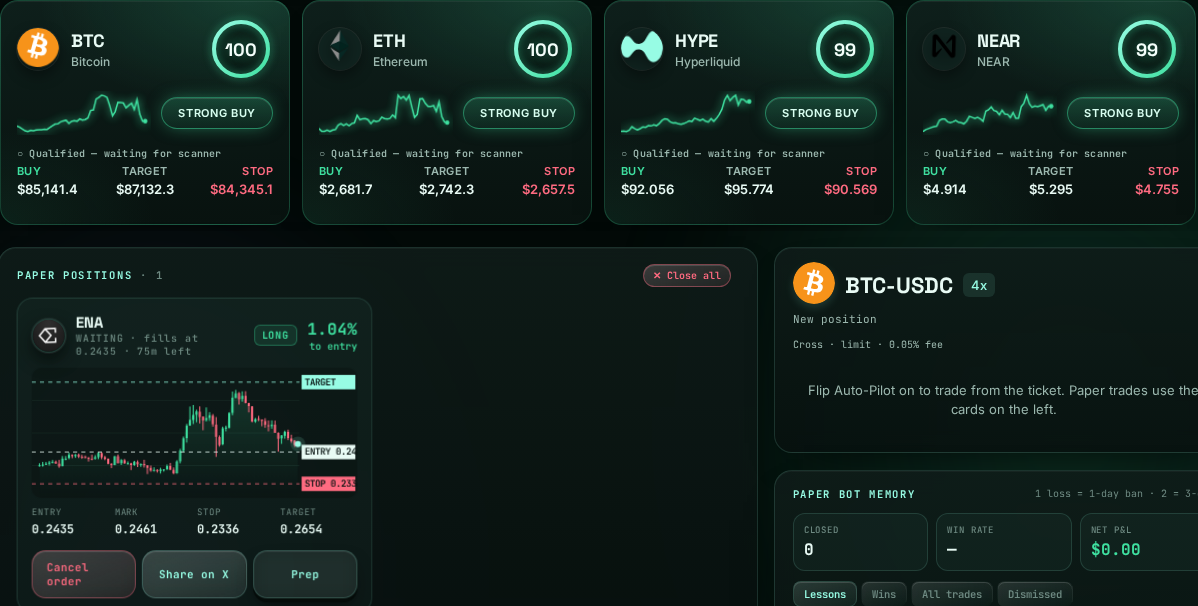
01 / The workflow
A deliberate path from market context to execution. Paper mode is a separate simulation, not live performance.
Explore public Hyperliquid market context. Inspect a coin’s trend, order-book levels and trade preparation before deciding.
Explore the signal board →Review position sizing, risk limits, take-profit (TP) and stop-loss (SL) settings. The current settings are shown in Auto-Pilot, not assumed here.
Open market preparation →Stay in paper simulation, or explicitly complete live setup. Live orders are signed by your browser-held trading key; the key cannot withdraw.
Open your workspace →02 / The toolkit
Market preparation, position protection and execution in one connected workflow.
Review stops and take-profit levels, follow HyperTrail adjustments, and keep protection and close controls within reach.
Protection manages orders. It cannot guarantee an exit price.
Inspect public market signals, order-book context and coin-level charts before making an execution decision.
A signal is context, not a promise of a profitable trade.
Read historical diagnostics, source fingerprints and aggregate builder-fill receipts alongside failures and open verification gaps.
Research receipts are not live results or trading approval.
03 / Evidence, not promises
Proof of Work publishes historical research and diagnostic receipts, including NO PASS verdicts, cost and input caveats, and consumed or reused validation periods. No independent out-of-sample (OOS) claim.
Review the evidence registry →Builder-fill aggregates describe activity only. They do not establish live performance, profitability or unique traders.
A verified public live-trade ledger is not available; the current serving revision is not yet attested. Historical results do not establish live readiness.
Start with paper. Decide deliberately.
Explore the workspace before risking capital. Opening Auto-Pilot does not itself authorize live trading. Setup approvals do not enable Live: you must explicitly enable it in Auto-Pilot. The trading key cannot withdraw, but browser compromise and trading losses remain risks.