Why HypurrTrade
We don't promise a 100% success rate. Nobody honest can: markets move on probability, and every strategy has losing trades. What we offer is a better tool to make money with — strict risk rules, disciplined exits, and your money staying in your own account.
Your keys never touch our server
Most bots store your exchange API keys or wallet keys in their own database. One leak and every account is exposed. HypurrTrade uses Hyperliquid's own approved trading key (an "agent"), created and kept only in your browser. That key can place and cancel orders, but Hyperliquid itself blocks it from withdrawing. Even if our server were fully hacked, there is no key on it that can move your funds or trade for you.
Your trade, not the crowd's trade
When 1,000 people pile into the same coin, at the same second, at the same level, the order book runs out. The first few get the good price; everyone else pays slippage that ruins the reward-to-risk before the trade starts. Their identical stops form one big cluster that a single wick can sweep, and they all rush for the same exit. HypurrTrade sizes every trade to your own balance and risk, checks real liquidity before entering, and trails from your own fill — so your plan doesn't compete with a thousand copies of itself.
Edge comes from math, not hope
A trade only qualifies with at least 2R of reward for the risk taken. At 2R, a system can lose more often than it wins and still come out ahead over many trades — before fees, funding and slippage. Auto-Trail removes the hesitation: protection tightens on schedule, and if you move a level yourself the bot steps back. Results are never guaranteed.
| Typical bots & signal groups | HypurrTrade | |
|---|---|---|
| Where your keys live | Their server or database | Your browser only; the trading key can't withdraw |
| If the server is hacked | API keys can leak and accounts get drained or abused | No trading key or payout key there to steal |
| Who gets the same trade | Everyone copies one signal at one price | Each trader's own coins, size, risk and fills |
| Entries | Often market orders that chase price | Limit entries checked against live order-book depth |
| Promise | Win-rate screenshots and guarantees | No guarantee. Rules, risk limits and published losses |
Zero custody, by design
Most trading bots ask you to deposit money with them. HypurrTrade doesn't. You keep your funds in your own Hyperliquid account and give the bot a limited permission slip: it can trade and cancel orders, but cannot withdraw funds. Trading still carries loss and liquidation risk.
How a trade happens
Hyperliquid lets an account approve an agent — a signing key that can trade for it but is cryptographically barred from moving funds. Auto-Pilot uses exactly that. The loop below runs inside your open tab.
Many inputs. One disciplined decision.
 Hyperliquid
 Binance
 Bybit
Bybit OKX
OKX
HypurrTrade
Multi-timeframe trend · RSI / MACD · volatility · visible liquidity
Not every input is a trade gate. Bands are estimates, not reconstructed liquidation positions. No blanket “all tier-1 / tier-2 exchanges” coverage.

Lightweight Charts library, with Hyperliquid data.

Reference for the heatmap view.

Bring your own key to power AI reads like the liquidation-map insight. Not a live data feed — trade signals stay local.
Less impulse. More consistency.
A person can miss a timeframe, change risk in frustration or chase an entry. HypurrTrade repeatedly applies the same gates, sizes from your balance and follows an eligible plan without emotional improvisation. Humans still choose risk, supervise and interpret unusual events. Consistency is an advantage—not evidence of higher returns or superiority to every human trader.
Scan
Liquid coins are scored on trend, momentum pullback and order-book depth every few seconds.
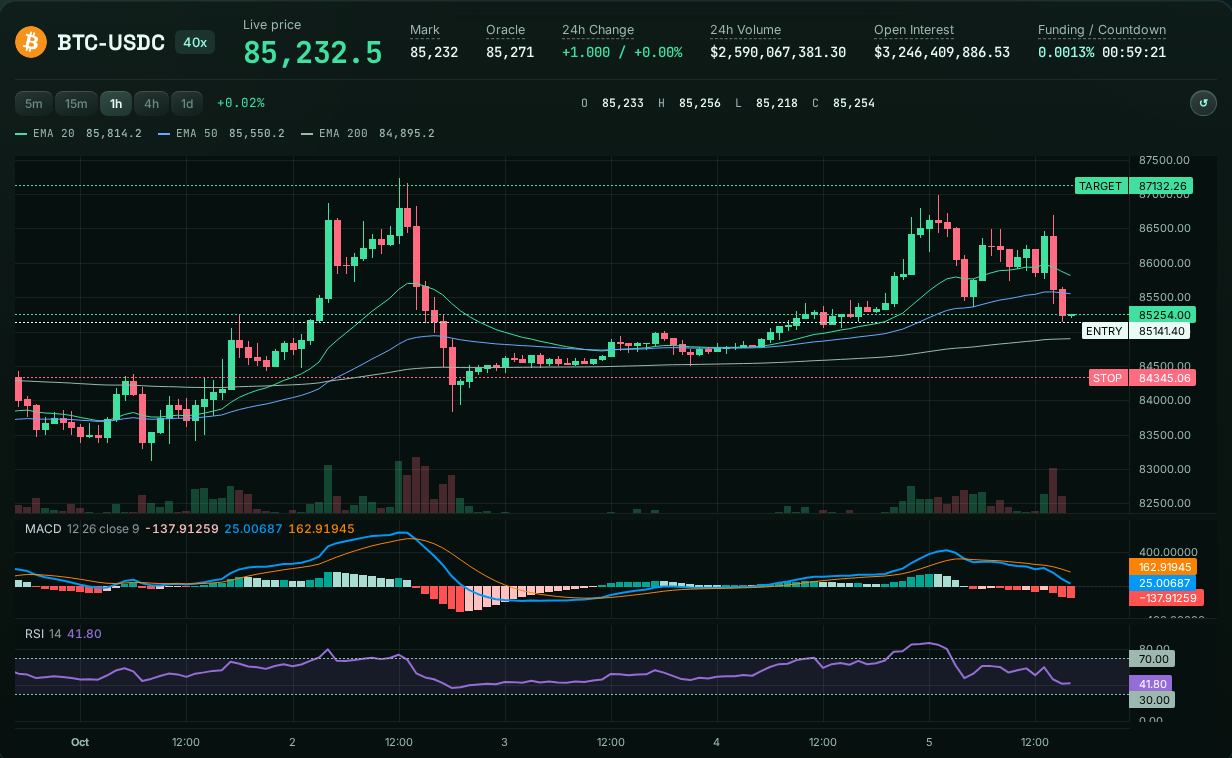
Live mode needs an approved trading agent and linked Telegram. New entries use limit orders; stop-loss triggers use market execution. Resting exchange orders remain when your tab closes, but browser-driven management pauses.
Auto-Trail, not autopromise
Auto-Trail adapts protection as a trade develops. Paper and live management use different checks; neither guarantees a profitable exit. The browser must keep running to make new adjustments.
Before TP1
Paper Auto-Trail uses volatility and structure with a room buffer before its first milestone; live trades keep their initial stop until a profit milestone is reached.
Auto-Trailing simulation
- Buy at 100. Initial stop at 98 (risk 2.0).
- Once price moves 2.4 in your favour, the stop starts following the highest price at a fixed distance (2.0).
- The stop never moves back. When price reverses into it, the trade closes with the profit already locked.
Step 1 — Waiting: price is +0.0 from entry. The stop stays fixed at 98.0 until price moves 2.4 in your favour (1.2× the 2.0 risk). Nothing trails yet.
Simplified example, numbers are price units. The live engine also checks momentum, fees, liquidity and partial fills. Touching the stop triggers an exit; the fill can differ slightly from the stop price.
Auto-Trail: follow a runner
Use when eligible protection should tighten as a trend develops. It can preserve progress, but a pullback may exit you earlier. New adjustments need your browser running.
Fixed stop: hold your level
Use when the original invalidation level should stay unchanged and normal pullbacks need room. An accepted exchange stop remains without your tab, but does not automatically protect new gains.
Stop triggers can slip during gaps or fast moves. Fees, funding, liquidity and execution affect the final result. A stop beyond entry is not a guaranteed net profit.
The math behind every trade
Expected value per trade
Illustration, not a measured win rate or return forecast. Break-even here is 33.8%. The 2R setup gate does not guarantee that result: staged exits change realized reward. Platform builder fee: 0.05% of notional per tagged fill, plus exchange fees, funding and execution costs.
Position sizing
Simplified calculator. Live sizing also applies free-collateral limits, a dollar-risk cap, precision and open-position checks; it can be smaller than this estimate.
Where stops and targets come from
Targets are informed by visible order-book liquidity and ATR. Liquidity can disappear; these are planning inputs, not guarantees.
Everything from one screen
Place, add, trim, move protection and cancel from Auto-Pilot. Each live action is signed on your device and must be accepted by Hyperliquid; network delays and rejections are possible.
Place
Pick a coin and direction, review the size and estimated liquidation, then confirm. A limit order goes straight to Hyperliquid.
BTC · LONG
+$24.60+4.92% on $500 position · paper example
Illustrative share card; figures are fictional, not realized earnings or performance evidence.
Illustrative HypurrTrade paper trade: BTC long +$24.60. Mock example, not an actual trade or a return forecast. https://hypurrtrade.live/ https://x.com/hypurrtrade_
Squads & airdrops
Invite friends with your link and they join your squad. A share of the platform fee their trades generate becomes your verified balance, which you can claim or airdrop back to your squad.
What leaders can do
- Equal split — everyone selected gets the same amount.
- By volume — shares follow each member's trading volume.
- Custom — set any amount per wallet.
- Spin the wheel — volume-weighted odds, shown before you spin.
Airdrops are credited instantly inside HypurrTrade — no gas, no on-chain transfer per member. Claims are verified against Hyperliquid records and reward transfers, then queued for an owner-signed payout; approval is not instant settlement. Leaders and joiners need wallets that have not traded outside HypurrTrade. Practice spins distribute nothing.
Open Squad →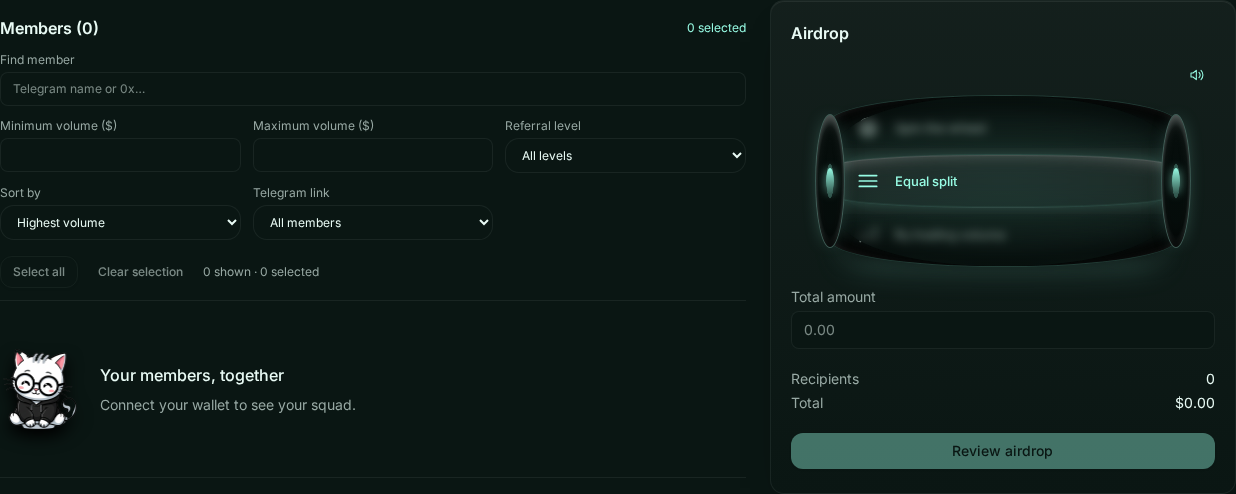
Squad airdrop
$100.004 members · $25 each · equal split
Illustrative distribution announcement. Actual airdrops are internal reward credits; verified claims await owner-signed settlement. Real cards use the leader’s squad name and referral link.
Mint Paws Squad — illustrative $100 airdrop, split equally among 4 members ($25 each). Mock reward credits, not a real payout. Join with a fresh eligible wallet through your leader’s referral link. https://hypurrtrade.live/ https://x.com/hypurrtrade_
Security model
Zero custody means HypurrTrade does not take possession of your collateral or withdrawal key. It does not mean zero risk: trading losses, exchange failures, compromised devices and malicious website code remain possible. The protections below limit authority; they are not an absolute security guarantee.
The trading key can place and cancel orders. Withdrawals are impossible at the exchange level.
Orders are signed on your device. The server does not hold the trading key. Compromised website code could still abuse a browser-held agent to place harmful trades.
Treasury signing is kept outside the server. The website does not automatically move treasury funds.
Reward payouts need a wallet signature from a person, never an automated key.
Claims and the payout desk re-check Hyperliquid fills and prior sends, alongside squad credits. These checks reduce fraud; a fully compromised service is not harmless.
Normal application access cannot edit past ledger entries. This is a guardrail, not protection against someone controlling the database itself.
Strategies & backtest results
Every strategy below runs on Paper (free, no wallet) and Live (your wallet, builder fee). Pick one in Auto-Pilot settings; nothing changes until you confirm. Results are from our in-browser backtester on the last 180 days of Hyperliquid candles, including exchange and builder fees.
How it works: Ranks liquid coins by risk-adjusted momentum and holds only the leaders until the next daily rebalance, with a wide safety stop.
Best for: Investors who want a steady, systematic basket with shallow dips.
- Start on Paper: leave the Auto-Pilot switch off and pick a strategy in settings.
- Test your settings: press "Do back testing" or Save to see net return, drawdown and fees before applying.
- Go Live: connect a wallet and Telegram; under ~$250 run 2–3 slots, daily strategies need about $35 per slot.
Backtests use past data and ignore some slippage and queue effects. They are not a forecast; no result is guaranteed.
Goals & roadmap
Our goal is simple: give every trader the discipline of a quant desk without asking them to hand over their money. Tap a stage to open it. Anything not yet shipped is a direction, not a promise.
Everything here works now, on Paper and Live.
- Zero-custody Auto-PilotOrders are signed in your own browser with a trading key that can place and cancel orders but can never withdraw. Your funds stay in your Hyperliquid wallet.
- Paper trading on live order booksThe same scanner, entries, stops and targets as Live, run against real mainnet prices — free, no wallet needed.
- HyperTrail & Smart SLA trailing stop Hyperliquid doesn't offer natively: after TP1 the stop locks in fee-covered profit and follows price. If you move a level yourself, the bot never overrides it.
- Daily strategiesVelocity Ranker, Carry-Aware Trend (with an optional take-profit you set) and MACD Pulse, each with a built-in backtest before you apply settings.
- Squads & referralsEarn a share of the fees your invites generate, tracked in a ledger and paid out only with a human wallet signature.
Changes only ship after backtest results are reviewed.
- Core profitability upgradeGive flat trades more time before scratching them, only trade with the BTC trend, and use wider volatility-based stops so normal wicks don't stop trades out early.
- Smarter daily sizingCalmer coins get a bigger share of the basket and wild coins a smaller one, with optional take-profit for more strategies.
Direction, not a release date. Details will change.
- Strategies as on-chain agentsPackage a proven HypurrTrade strategy as an agent token on an EVM launchpad, so people can follow it without running it themselves. Chain and launchpad are not decided yet.
- Fee routingExploring sending part of the builder fees to token buybacks, liquidity or holder rewards.
- Optional 24/7 trailing (Pro)Under consideration. Today Auto-Pilot only runs while a browser tab is open, and no trading key is ever stored on our server.
Ready when you are.
Start in paper mode, watch the math work, switch to live when you trust it.
How to use a trailing stop on Hyperliquid
Hyperliquid's own interface offers fixed stop-loss and take-profit orders, but no native trailing stop. HypurrTrade adds one: HyperTrail moves your stop behind price as a trade works, from your browser, using a trading agent that cannot withdraw funds.
- Open a position with Auto-Pilot or the trade ticket. A hard stop and three targets rest on Hyperliquid right away.
- After TP1, the stop moves into fee-covered profit, and later targets can follow live order-book liquidity.
- Your override wins: drag a stop or target, or edit it on Hyperliquid, and HyperTrail stops adjusting that trade until you re-enable it.
- Tab open: resting stops and targets stay on the exchange when you close the tab, but new trailing moves need the browser running.
A trailing stop can lock progress or exit early on a pullback. Gaps and fast moves can slip. No result is guaranteed.
Hyperliquid paper trading on live order books
Testnet liquidity is thin and fills look unrealistic. HypurrTrade's free paper mode runs the same scanner, entries, stops and targets against live Hyperliquid mainnet prices and order books — with no wallet and no deposit.
- Open Auto-Pilot and leave the switch off: every trade uses paper money.
- Orders wait like real limits and only fill when live price touches the planned entry.
- Review Bot Memory for wins, losses and R per trade before deciding to go live.
Paper results ignore real slippage and queue position, so live results can differ.